
Draw a plan, then let officers, time, and supply carry it
You play Battleplan by drawing a plan, handing it to officers and companies, choosing how fast the clock runs, and keeping supply attached to the advance. The notes below come from the store listing, the publisher page, the 23 February 2026 demo announcement, later dev diaries, and a March 2026 preview. Where a diary excerpt stops, the missing part stays missing.
Advertisement
Draw the order
The store listing centers the interface on drawing. A plan can cover several steps and several units: a defense in depth, a counterattack, a planned withdrawal, a bombardment before a large attack, or a division split so it can take more than one objective. A 23 February 2026 community announcement for the Steam Next Fest demo puts the same idea in role terms. You are the general. Officers are supposed to carry the operational and tactical work, and the announcement describes a digital pencil for plotting movement, offensives, defensive lines, counterattacks, and support.
A Gamereactor preview updated on 5 March 2026 describes a brush for the front line, then a choice of which troops go there and what they should do: attack a city, fortify a point, or occupy a city quickly. Each order the previewer placed put a marker on the clock. The preview says several troop types do not attack at night, so the length of an artillery strike followed by tanks has to be planned against that clock. It also says the force has a weight limit when you assemble it. No weight number is given.
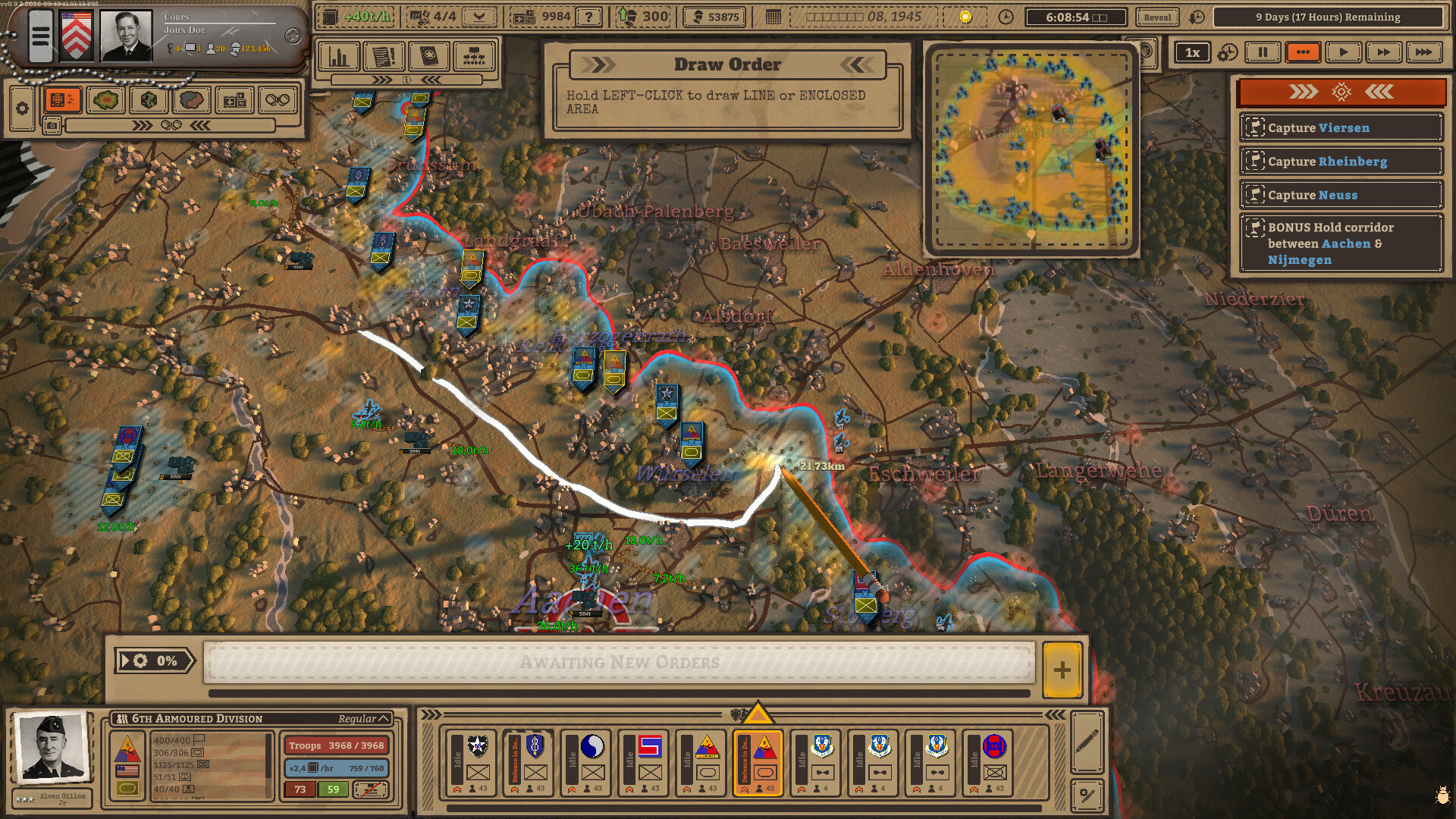
The Draw Order panel in that image tells the player to hold the left mouse button and drag a line or an enclosed area. Objective cards in the same image name towns around the German border. Those cards are what the promotional shot shows. They are not published here as a complete order set for a mission.
Zone orders, from a partial diary
Dev Diary #9, dated 11 May 2026, adds an optional zone order on top of the timeline orders. The default it describes is a regimental plan: you draw an area, and the game splits that area into zones according to how many regiments you have. In the diary's example, each infantry regiment receives a zone, while the divisional headquarters and support elements sit in a reserve area. The stored text stops at the tactics section, so the rest of the zone-order rules are not in this guide.
Officers and the army you build
The store listing builds a division from headquarters, regiments, battalions, and companies, and it lists infantry, tanks, engineers, anti-tank guns, artillery, and scouts working on their own. You can join divisions into a corps or split units down to companies, requisition and upgrade units, and hire or fire officers. The listing says you may take their advice or ignore it, and that officers who survive gain experience and quirks.
Dev Diary #6, 19 February 2026, is the officer note. A formation needs an officer before it can be deployed. Bonuses and penalties pass to every unit below that officer in the chain. Each officer starts with a random skill and gains more from experience, chosen on a skill web. The excerpt names infantry, armour, and artillery among the areas of that web, then stops, so any further areas are not listed here.
Dev Diary #8, 14 April 2026, describes the start of a campaign: create a fictional officer, choose a country, and create a fictional corps. The country sets the initial division. The excerpt says you can recruit units from the United States, the United Kingdom, and Canada. It also says the game uses real-world officer photographs, that many of those photographs have background research attached, that insignia can be chosen from any country, and that custom portraits, patches, and document photos can be dropped into folders for modding. The divisions section of that diary is cut off in the stored text.
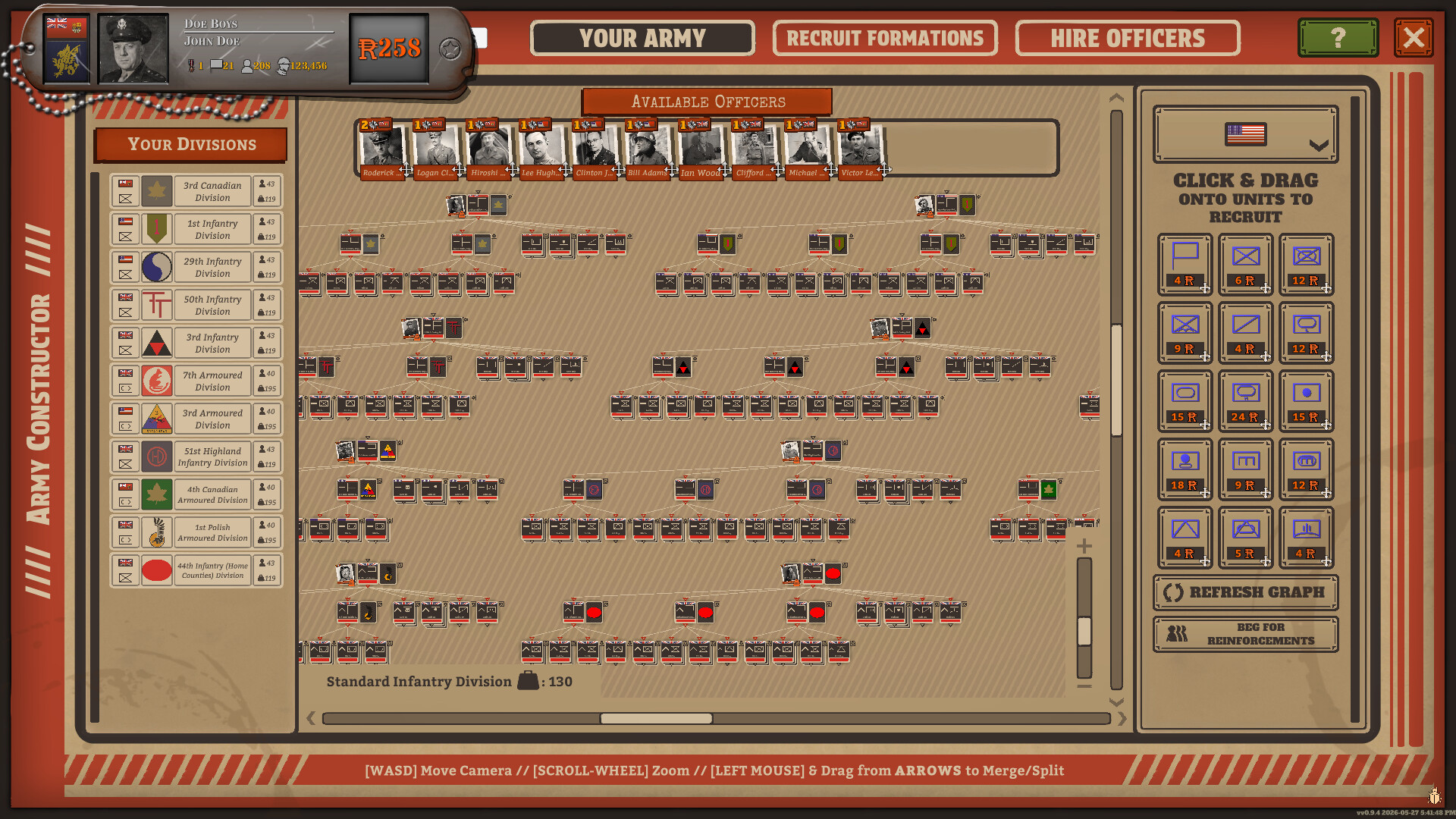
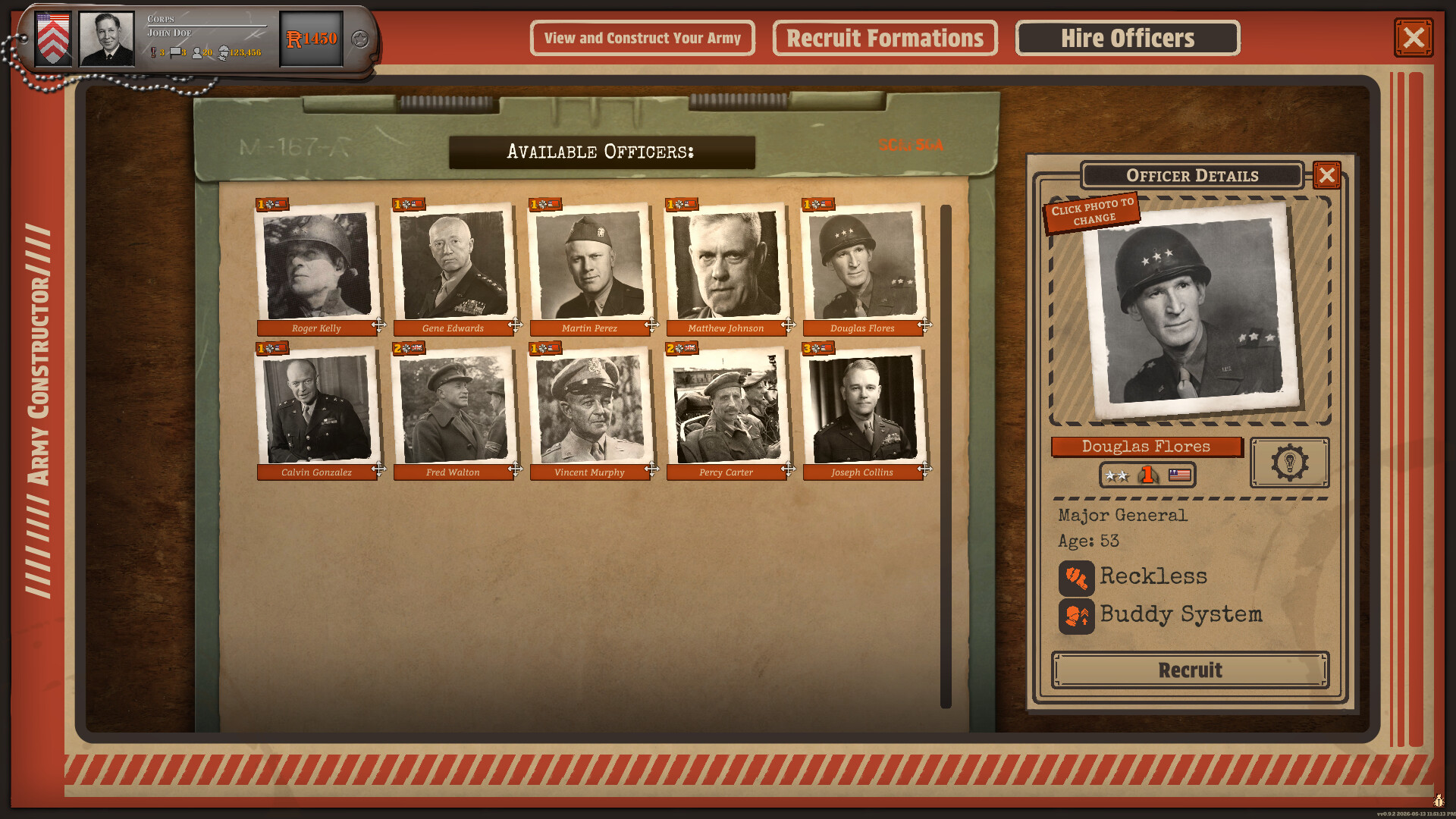
The constructor image shows an Allied order of battle, including Canadian, British, and Polish division cards, under tabs for the army, recruiting formations, and hiring officers. The portrait sheet is a separate hiring view. One card in that shot shows a rank, an age, and two traits. That is a single promotional example, not a published trait list. The diary's recruitment sentence names three Allied countries. The Polish cards are visible in the image, and this page does not promote that image into a full recruitment rule.
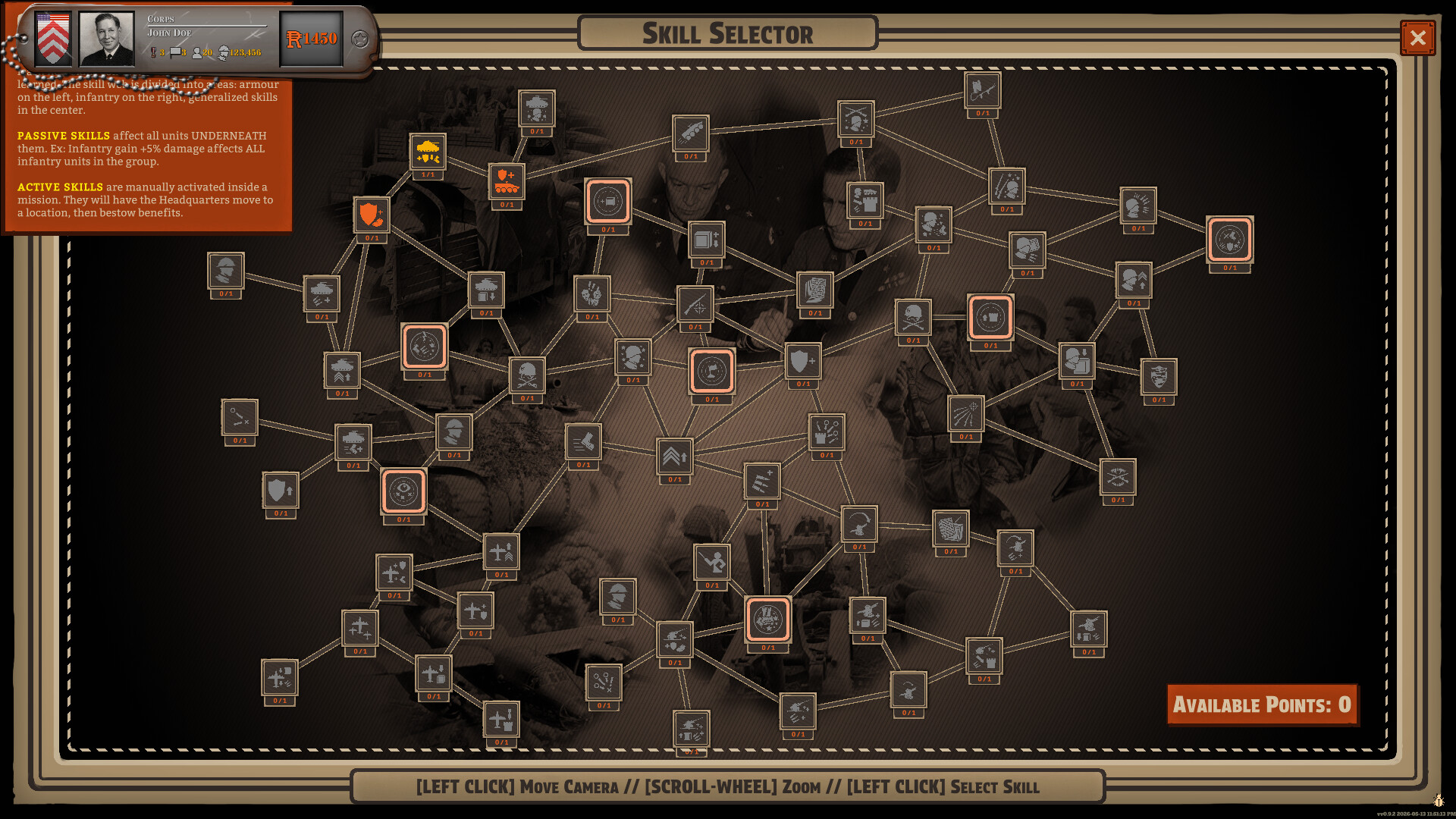
The note printed on the skill image says passive skills affect units under the officer, and that active skills are triggered in a mission and move the headquarters before they apply a benefit. An example percentage is printed beside that note. It is an on-screen example in the promotional image, not a general damage table. Achievements separately ask you to spend an officer skill point, to learn 10 or 100 officer skills, to use an active officer skill, and to use 10 or 100 of them. The achievement page has the rates.
Which side the pages actually name
The publisher's game page says the main campaign is the Allied side, and that separate scenarios are where the German side is offered. Dev Diary #7, 2 April 2026, is titled around playing as the Germans. Its stored opening says that after you clear a mission you can play it again as the Germans, with objectives of its own. Those objectives, in the excerpt, are built from holding longer than the historical force, inflicting heavy casualties, or a small counterattack. The excerpt says they are not a matter of wiping the Allies off the map. The rest of the diary is not in the material this guide uses, so this is not a faction roster or a full victory-condition list.
The March 2026 Gamereactor preview is narrower still. The previewer was on the Allied side, and the other sides were not available in that build. The preview also mentions maps that could be in England, Europe, or North Africa. The store listing of the released game places the battles on the Western Front from 1944. This guide does not treat the preview's map sentence as the released campaign map list.
Pause, real time, and a faster clock
The store listing says every mission is simulated second by second, and that you can pause, play in real time, or fast-forward. Mission length on that listing runs from one week to a month. The March preview adds a slow-down control next to pause and speed-up, and it ties the clock markers to night attacks, as noted above.
A DualShockers review published on 9 October 2026 describes a tighter daily rhythm on top of those controls. In the mode the review calls standard, you get one planning phase at the beginning of the day and one emergency planning session after that. If both are spent, the review says you wait until 05:00. The same review says another mode lets you issue orders while the battle runs, and that a plan in that mode is tracked by how complete it is. That is the reviewer's account. The score and the interface criticism sit on the reviews page.
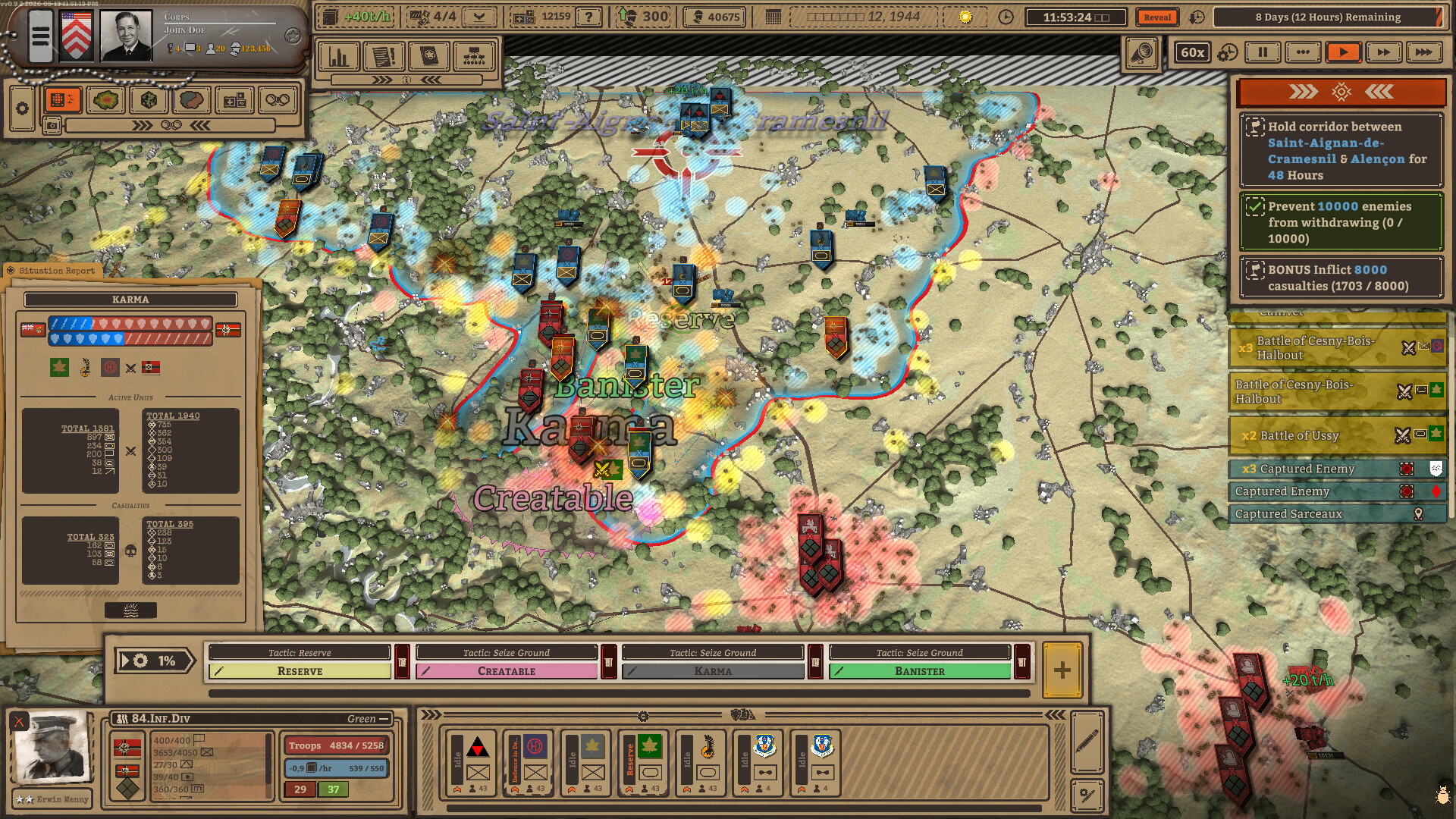
The 60x mark on that image is one promotional clock setting. It shows that fast-forward is part of the presented interface. It does not publish a list of every speed the game offers.
Supply
The store's logistics section says you starve an enemy by cutting supply lines, fuel an advance by taking supply depots, and pull back when units run low. It says supply follows terrain. Dev Diary #4, 27 November 2025, is more specific about the bookkeeping. Each company tracks its own supply, described there as ammunition, fuel, and food. Low supply brings stat penalties. An empty supply starts attrition and health loss, which the diary ties to desertion and untreated wounded. Units that are low or out of supply surrender quickly in combat. The diary also says you can see supply for the whole division.
The 3 March 2026 demo patch, version 0.8.8, adds a rule in the same area. Cut-off and out-of-supply units do not regain morale. They lose morale, and then they take attrition damage from surrendering. The stored patch notes stop during that sentence's continuation, so later patch items are not listed here. Two achievements use the supply vocabulary directly: capture 10 enemy supply hubs, and capture 50 enemy supply depots. Their unlock rates are on the achievement page.
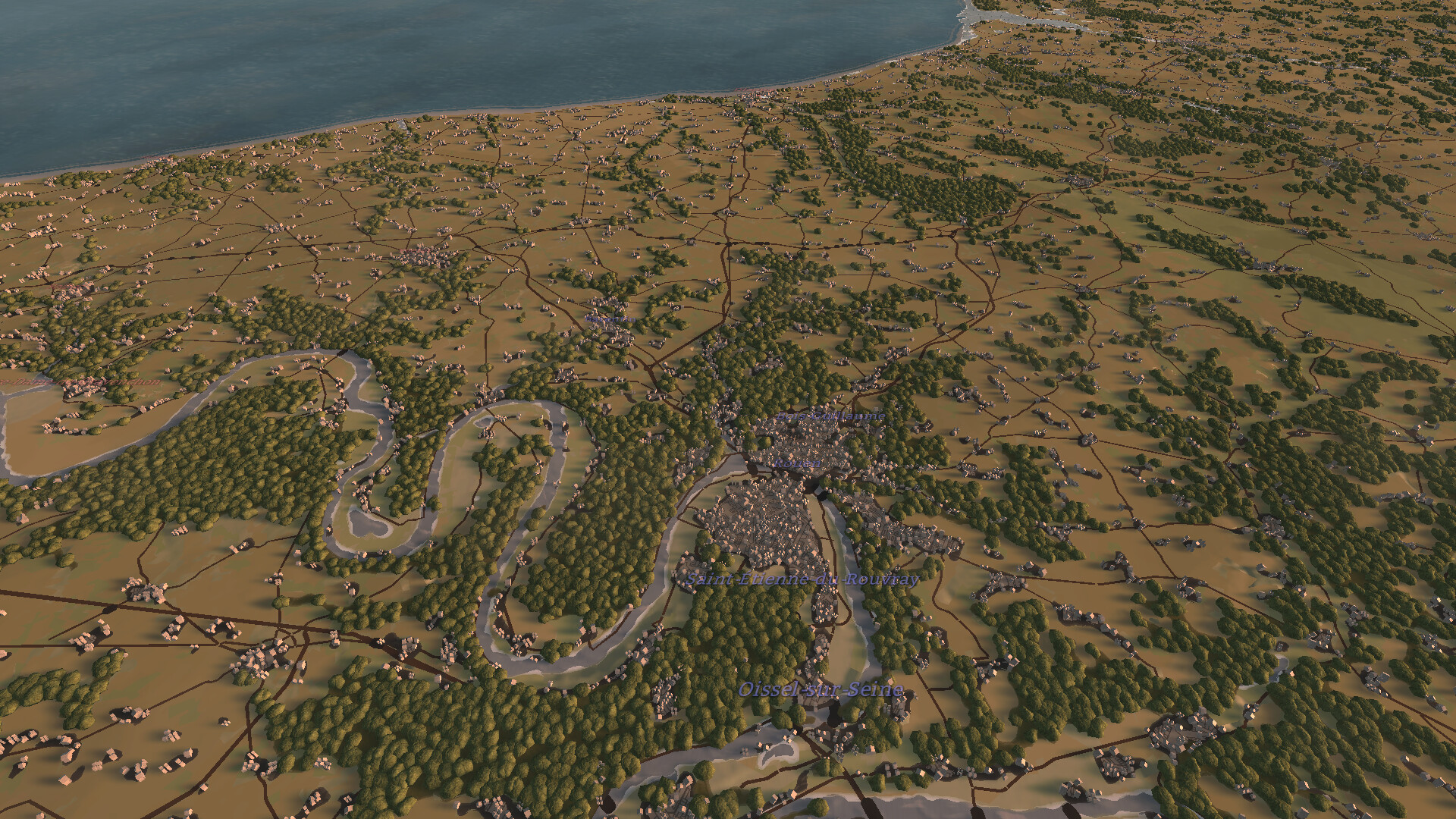
The store listing says the battlefield is built from real-world geographic data, down to roads, towns, forest, and swamp, and that elevation maps matter for artillery. The image above is the promotional view of that terrain. It is not a measurement of the map's kilometer scale. The listing's own scale phrase is thousands of kilometers.
Two diary excerpts that name numbers, then stop
Dev Diary #10, 12 June 2026, is about combined arms. Different unit types within about one square kilometre give nearby friendly units a bonus, which the diary presents as a reason to mix a regiment. The stored excerpt includes two rows and then stops:
| Bonus | Named providers | Effect on nearby friendlies |
|---|---|---|
| Infantry Support | Infantry, mechanized infantry, paratroopers | +20% defence, +30% morale |
| Tank Support | Light tanks, medium tanks | +25% damage, +30% morale |
Dev Diary #5, 9 January 2026, says engineers can place minefields. Enemies inside them move much more slowly and, in combat, take extra casualties while receiving less defence, less firepower, and less morale. Strength grows with the time spent laying the field and is shown by how many mine icons appear. The excerpt cuts off while describing what happens when a minefield is captured, so the capture rule is not stated here.
Still unpublished in these records
- No general unit-statistic table: attack, defence, and range values for the roster are not in the stored bodies, apart from the two support rows above.
- No mission order. The named battles are on the missions page, in achievement-page order only.
- No numeric difficulty ladder. Achievements refer to normal and to the highest difficulty without listing the settings.
- Air support is named on the store listing as recon, fighter-bomber, and heavy bomber aircraft. How those assets are requested is not spelled out in the stored text.